

Overview
Integrate OneFirewall Alliance (OFA) threat feeds with ForcePoint Web Security / URL Filtering. This enables real-time policy enforcement based on live threat data for:- Malicious IPs
- Malicious URLs
Compatibility
Compatible with ForcePoint Web Security / URL Filtering version 8.5.x.Prerequisites
- A valid OneFirewall Alliance account.
- ForcePoint running 8.5.x.
- Console access.
- Internet access from the gateway to OneFirewall’s feed URLs.
- HTTPS inspection must allow outbound connections to threat feed URLs, if required by policy.
Step 1: Generate API Token
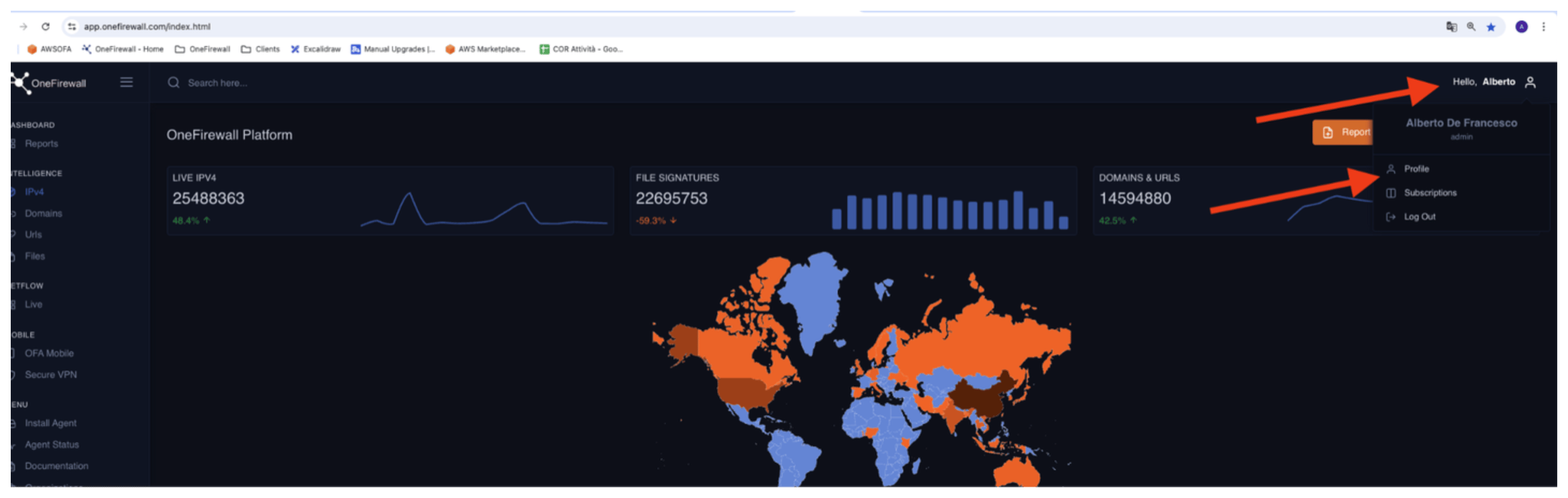
- Log into your OneFirewall Alliance dashboard.
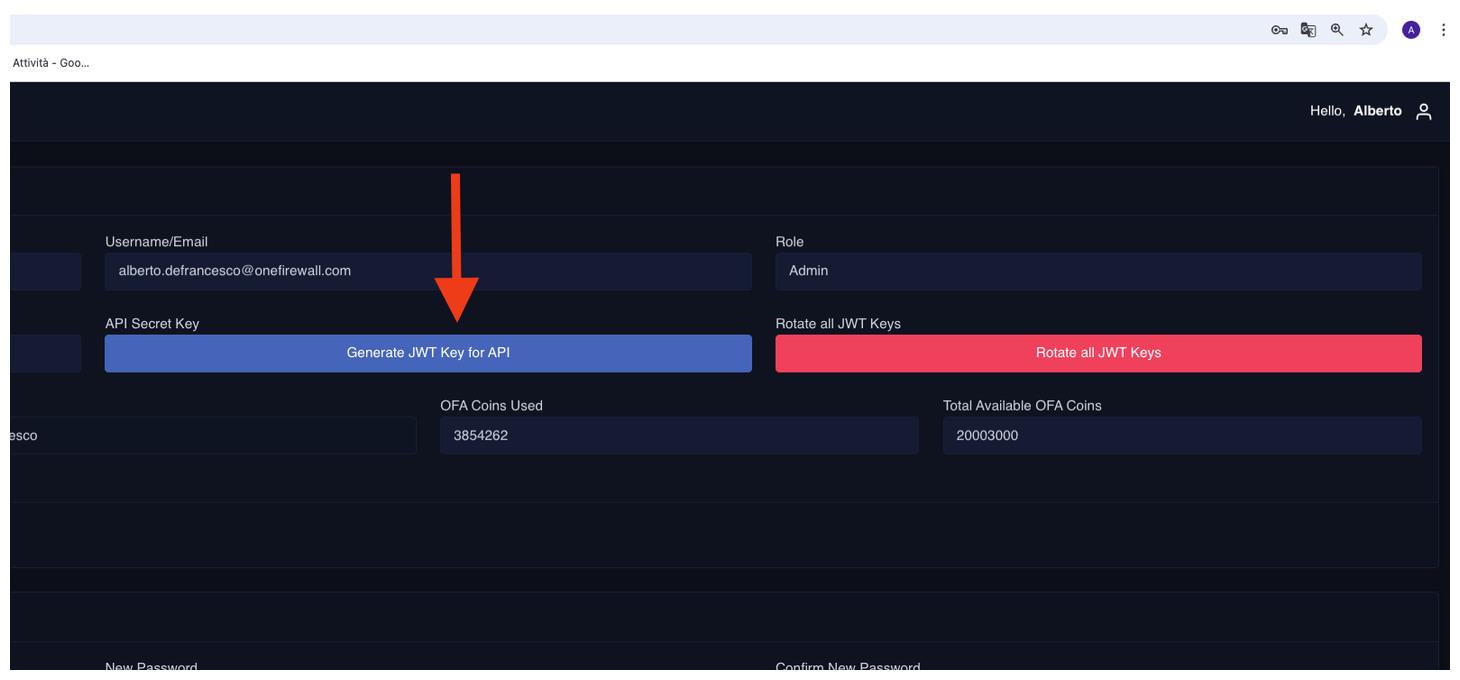
- Go to the API Access section.
- Click Generate JWT Token.
- Save the token securely — it authenticates feed requests.
Step 2: Configure IP Address List and URL List
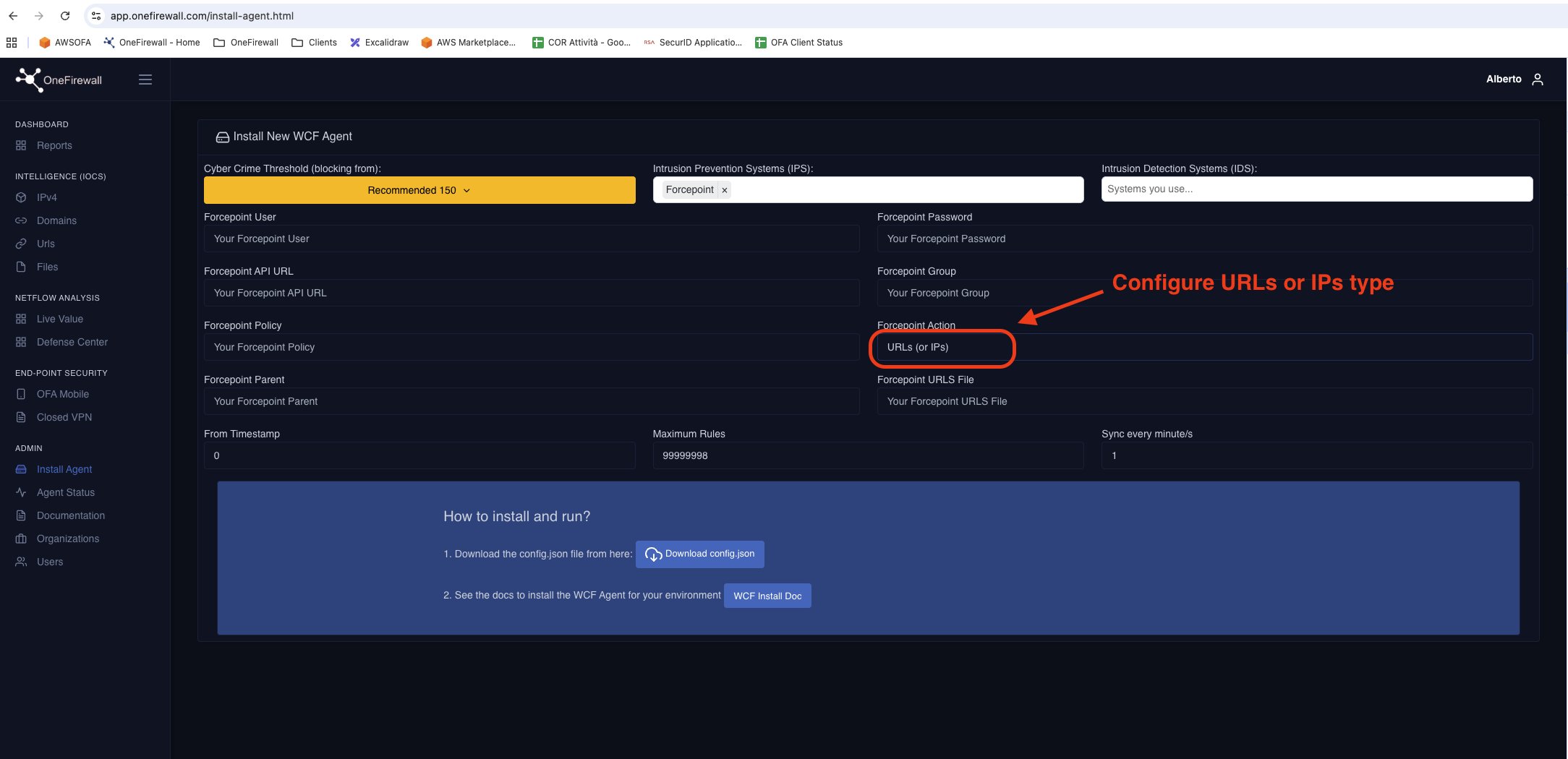
Configure the external feeds
Install Docker and Docker Compose
Prepare your deployment directory
- Download the WCF Agent Docker image into this folder.
- Obtain your config.json from OneFirewall’s Install Agent page.
- Place config.json in ~/wcf-agent/onefirewall/config.
Create docker-compose.yml
Launch the agent
Notes
- OneFirewall uses JWT-based Bearer Authentication.
- Feeds refresh automatically and are optimized for ForcePoint Web Security / URL Filtering integration.
- All feed types can be used simultaneously, in different rules or combined policies.