

What is Vulnix0?
Vulnix0 is an offensive security platform built by OneFirewall Alliance, with AquilaX Security as technology partner. It combines several security functions into one system, so organizations can discover, validate, and remediate vulnerabilities before attackers exploit them. The platform covers:- Attack Surface Management (ASM): discovers and maps external-facing digital assets to eliminate blind spots.
- Automated Penetration Testing: simulates real-world adversary tactics against your defenses.
- Dynamic Application Security Testing (DAST): analyzes live web applications for runtime vulnerabilities.
- Threat Intelligence Validation: correlates global threat data with your environment to identify real risks.
- Data Leakage Detection: monitors the open and dark web for exposed credentials and sensitive information.
Generating an API Key
To interact with the Vulnix0 API, you must first generate an API key from your user settings. This key authenticates your requests and should be kept confidential.- Log in to your Vulnix0 dashboard at vulnix0.com.
- Click your profile name in the top-right corner and select Settings.
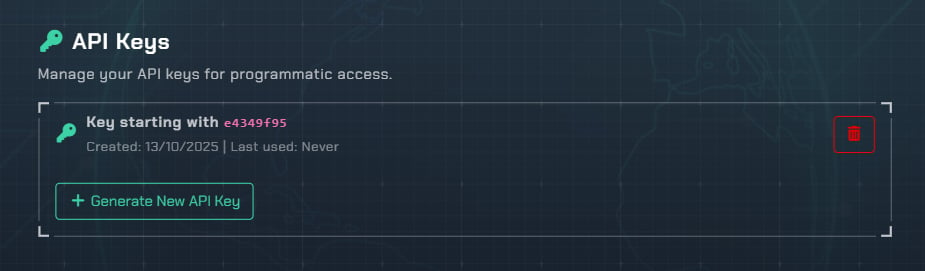
- On the settings page, scroll down to the API Keys section.
- Click Generate New API Key.
api-key header.
Organization Context
When using the offensive security APIs (like initiating a scan), you may need to provide your Organization ID so results are attributed correctly. You can provide it in one of two ways:- Header:
X-Org-Id: YOUR_ORG_ID - Query parameter:
?org_id=YOUR_ORG_ID