> ## Documentation Index
> Fetch the complete documentation index at: https://docs.onefirewall.com/llms.txt
> Use this file to discover all available pages before exploring further.
# Sophos Integration Guide
## Purpose
This guide describes how to integrate **OneFirewall Alliance (OFA) Threat Feeds** into a **Sophos** using external dynamic lists (EDLs). The integration enables automatic enforcement of security rules based on live threat intelligence from OneFirewall, covering both **inbound** and **outbound** traffic.
# Sophos Compatibility for OneFirewall Alliance Threat Feed Integration
## ✅ Minimum Sophos Firewall Version Requirements
| Feature | Minimum Version |
| --------------- | --------------- |
| Sophos Firewall | **20.0+** |
***
## 🔐 Notes
To install the WCF Agent, the requirements are a VM with Latest Ubuntu LTS, Docker, and Docker Compose.
***
## Step 1: Generate API Token
1. Log into your OneFirewall Alliance profile.
2. Navigate to the **Install Agent** section.
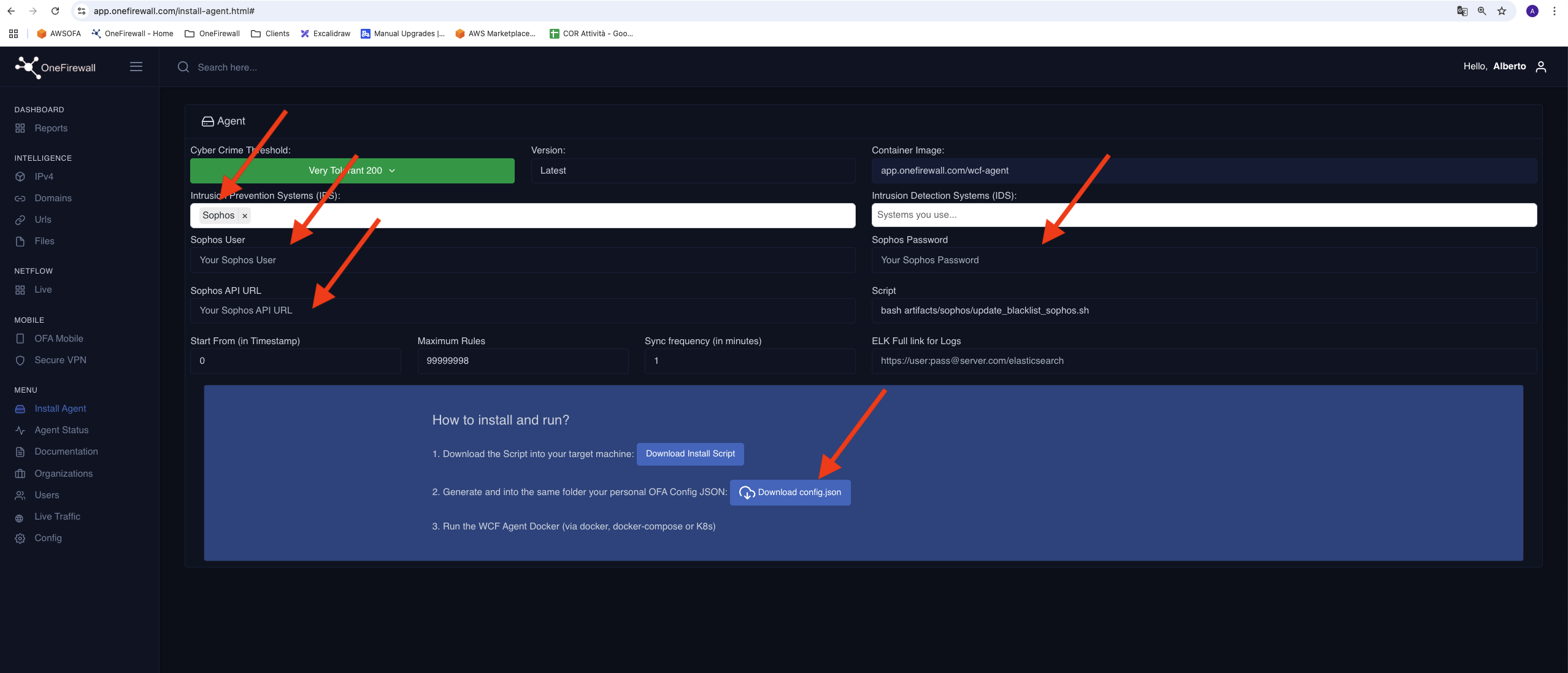
3. Select **Sophos** in the dropdown meny and fill the box with Sophos API information, user, password and so on (please start with a very tolerant setting (score like a threshold of 200, that can be edited by agent-status page at runtime)
4. Save the config.json securely — it will be used for authenticating feed requests.
 ***
## Step 2: Configure WCF Agent
1. Ask to [support@onefirewall.com](mailto:support@onefirewall.com) for the installation file (Soon that new installation procedure will be integrated to the application)
2. create a wcf-agent folder in a fileystem path do you prefer
3. unpackage the installation file, and follow the instruction on README file (you should put the downloaded config.json in the folded onefirewall/config)
***
## Step 3: Create Security Policies
The Sophos API is the address url of the Sophos Firewall Dashboard.
i.e. 192.168.1.1:443.
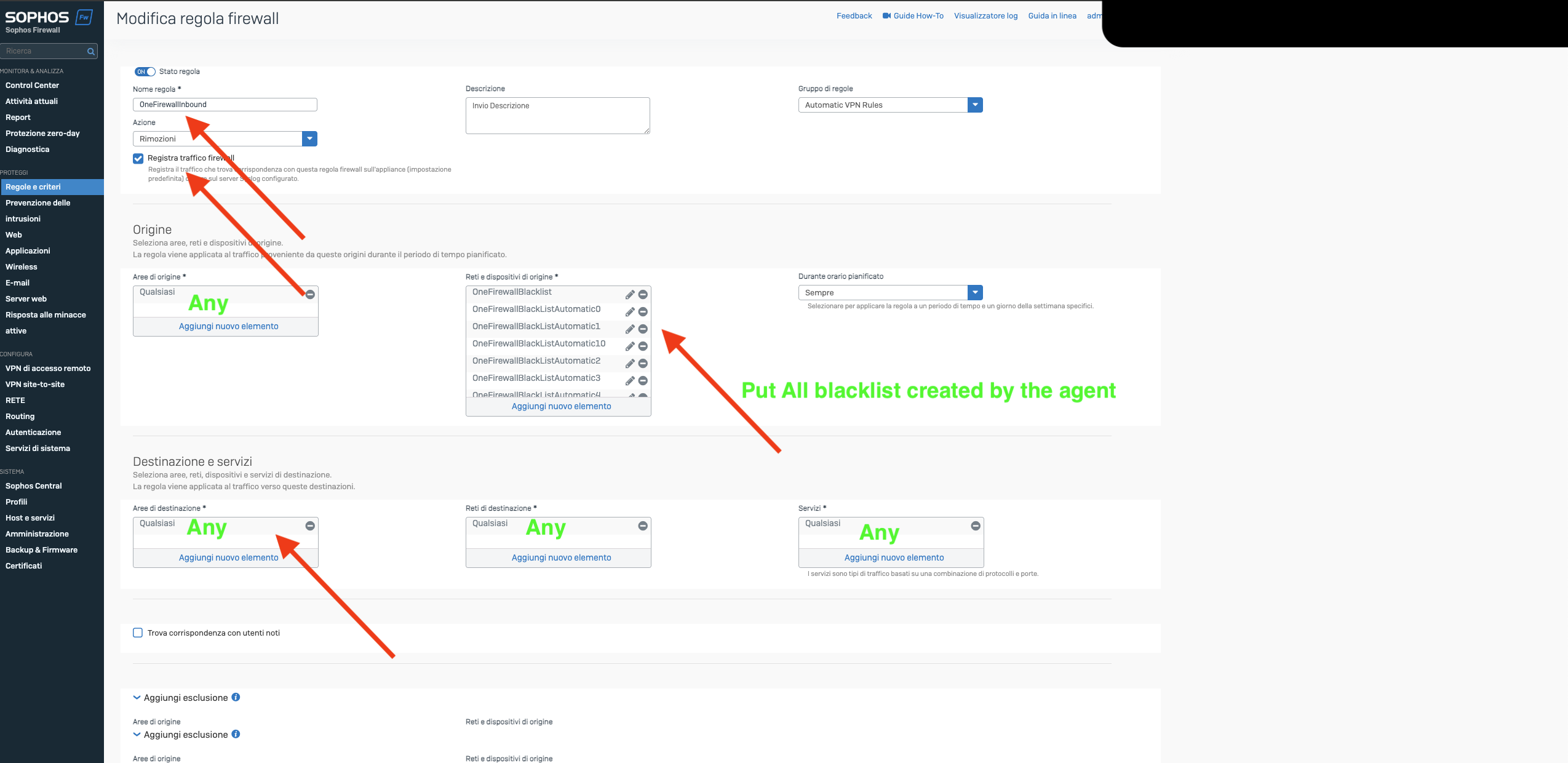
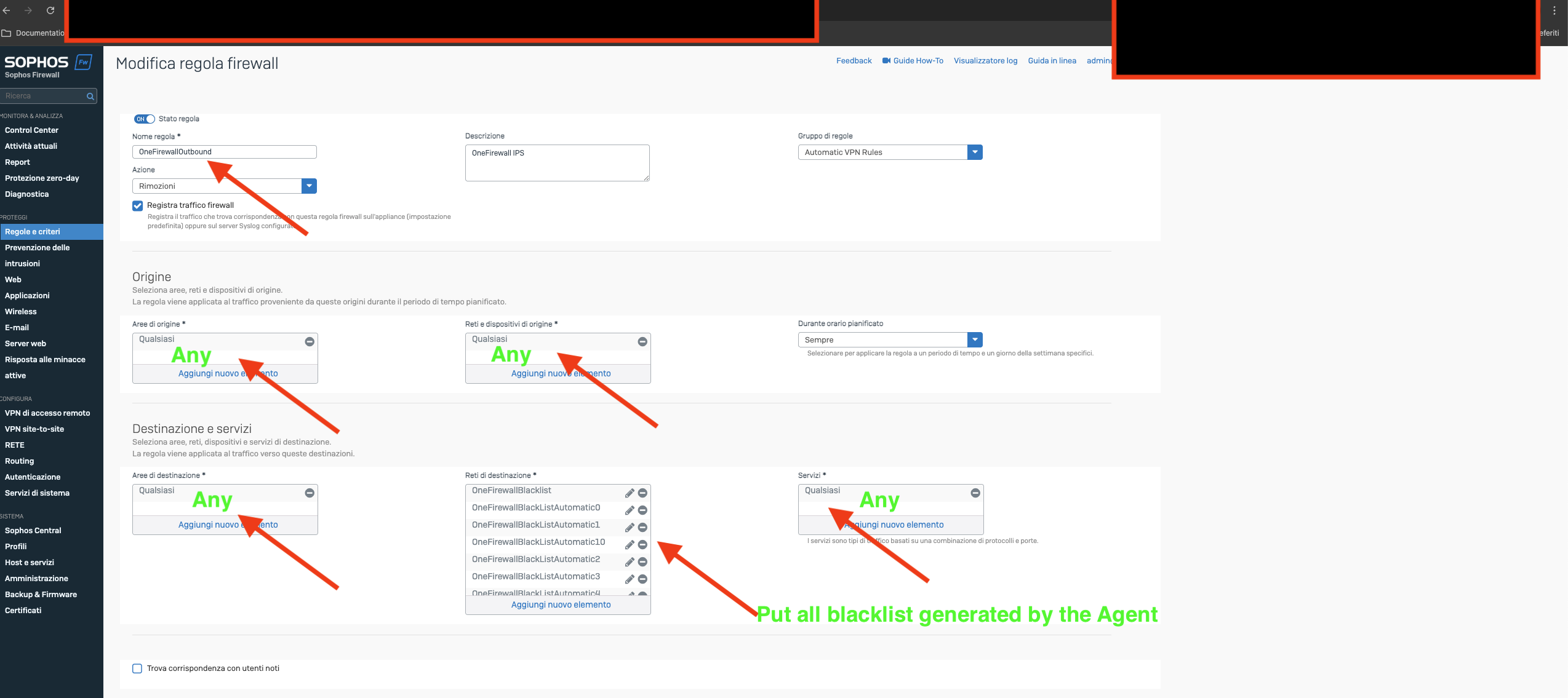
The agent will create some blacklists, like the ones in the following figures, with the name as in the screenshot.
That blacklists are external dynamic lists containing the ip threats from OneFirewall.
Once started, you should configure Inbound/Outbound firewall **rules and criteria** on the Sophos firewall like the following ones:
***
## Step 2: Configure WCF Agent
1. Ask to [support@onefirewall.com](mailto:support@onefirewall.com) for the installation file (Soon that new installation procedure will be integrated to the application)
2. create a wcf-agent folder in a fileystem path do you prefer
3. unpackage the installation file, and follow the instruction on README file (you should put the downloaded config.json in the folded onefirewall/config)
***
## Step 3: Create Security Policies
The Sophos API is the address url of the Sophos Firewall Dashboard.
i.e. 192.168.1.1:443.
The agent will create some blacklists, like the ones in the following figures, with the name as in the screenshot.
That blacklists are external dynamic lists containing the ip threats from OneFirewall.
Once started, you should configure Inbound/Outbound firewall **rules and criteria** on the Sophos firewall like the following ones: