> ## Documentation Index
> Fetch the complete documentation index at: https://docs.onefirewall.com/llms.txt
> Use this file to discover all available pages before exploring further.
# v2025-05-22 - Query Speed
> OneFirewall Tags, and resereved IPs
## 1. Blazing-Fast Query Speed
* **What’s new:** Overhauled the OneFirewall query engine to serve real-time data in **0.32 s** on average (down from 12 s).
* **Customer impact:** No UI or workflow changes—just dramatically reduced API times.
* **Operational benefit:** Significantly less load on your local OneFirewall instances.
***
## 2. Custom Reserved IPs
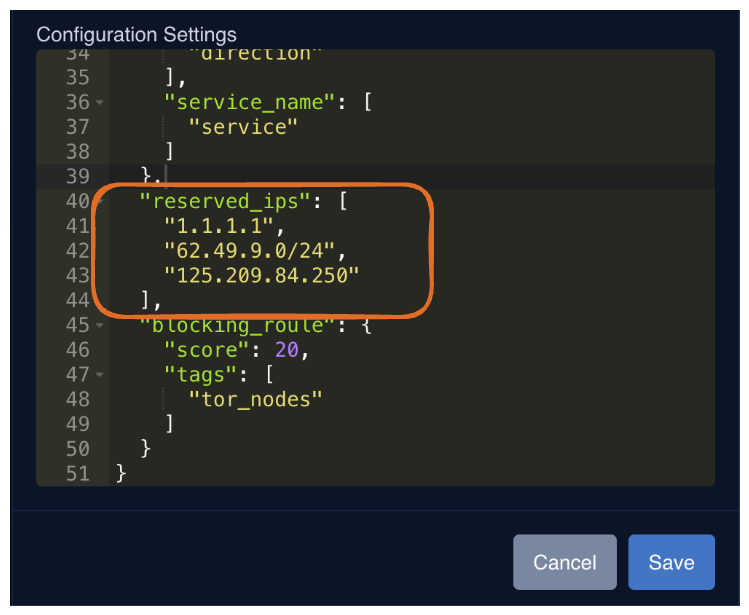
* **What’s new:** Define your own list of reserved IPs or networks (CIDR format) at the organization level.
* **How it works:** Any IP you add will be automatically rejected during submissions, in addition to global reserved-IP rules (e.g. private ranges).
* **Setup steps:**
1. Navigate to **Organizations**
2. Click **Edit** on your target organization (if you are Admin)
3. Update or add the `reserved_ips` array in the JSON configuration (as the example below)
 ***
## 3. Shared Tags Across the Alliance
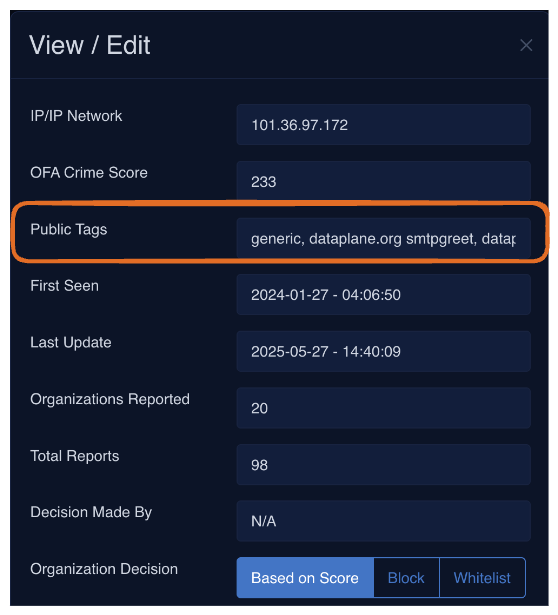
* **What’s new:** Attach optional tags when submitting IPs, files, domains, or URLs—and share them with the entire OneFirewall community.
* **Example sources:** AlienVault threat lists, Cyber Threat Alliance feeds, Tor exit-node indicators, etc.
* **Benefit:** Enrich community threat intelligence and receive curated tag data in return.
***
## 3. Shared Tags Across the Alliance
* **What’s new:** Attach optional tags when submitting IPs, files, domains, or URLs—and share them with the entire OneFirewall community.
* **Example sources:** AlienVault threat lists, Cyber Threat Alliance feeds, Tor exit-node indicators, etc.
* **Benefit:** Enrich community threat intelligence and receive curated tag data in return.
 ***
## 4. Tag-Based Prevention Rules
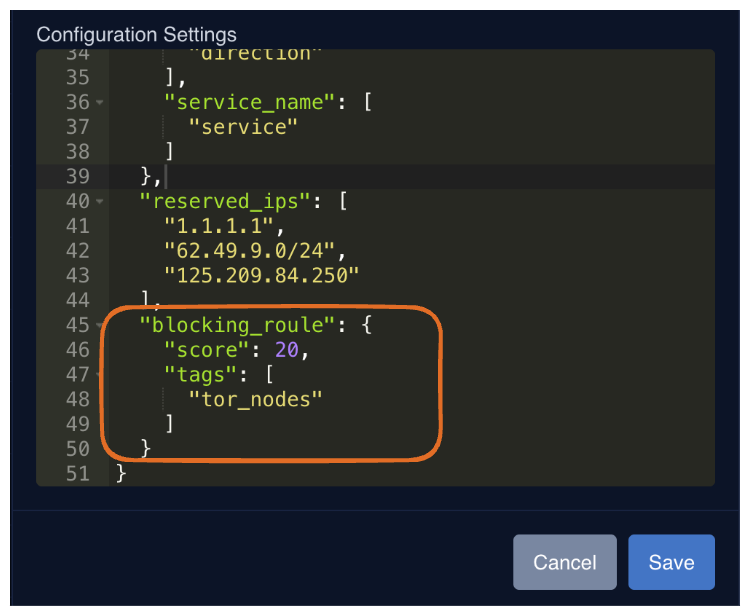
* **What’s new:** The Live Score API (used by the WCF Agent) now supports prevention based on **score** and **specific tags**.
* **Use case:** Block any IP above a score threshold *and* matching a given tag (e.g. `“malware”`, `“botnet”`).
* **Setup steps:**
1. Navigate to **Organizations**
2. Choose your score threshold and/or desired tags (as from the example below)
3. Save to activate automated blocking
***
## 4. Tag-Based Prevention Rules
* **What’s new:** The Live Score API (used by the WCF Agent) now supports prevention based on **score** and **specific tags**.
* **Use case:** Block any IP above a score threshold *and* matching a given tag (e.g. `“malware”`, `“botnet”`).
* **Setup steps:**
1. Navigate to **Organizations**
2. Choose your score threshold and/or desired tags (as from the example below)
3. Save to activate automated blocking