> ## Documentation Index
> Fetch the complete documentation index at: https://docs.onefirewall.com/llms.txt
> Use this file to discover all available pages before exploring further.
# v2025-01-10 - Usage Metrics
> OneFirewall WCF Server release
In response to requests from the alliance ecosystem, OneFirewall has released significant updates enhancing the management of WCF Agent and Reporting capabilities. These updates include:
## Active Toggle
Allows users to enable or disable the execution of the WCF Agent for a specific instance directly through the Web Interface or via APIs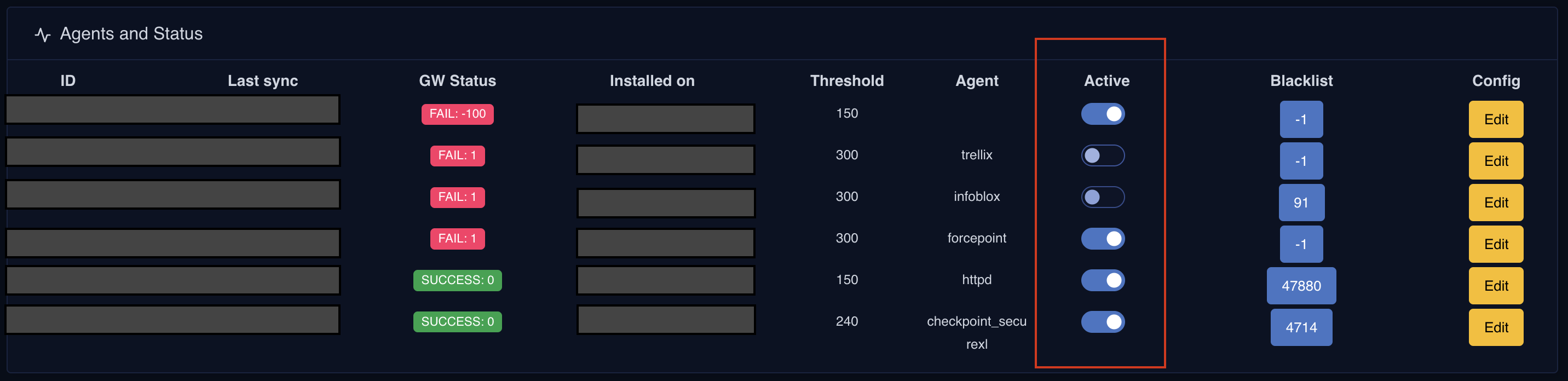 ## Config.json Management
To address the need for **viewing, updating, and deleting WCF Agent configurations** on the server side, OneFirewall now enables platform users to seamlessly manage key settings—such as **sync time, score thresholds, and rule sets**—directly through a **JSON editor in the Agent Status Console**. Any configuration changes made are automatically applied during the **next execution cycle** of the WCF Agent.
Additionally, the **config.json** file on the agent side now only retains **essential data**, removing configuration details related to how the WCF Agent interacts with **firewalls, IDS, or IPS** in the perimeter.
Furthermore, this update enhances **security** by ensuring that **sensitive information**, such as **passwords and cryptographic keys**, is no longer stored in the local file system. Instead, these secrets are **securely encrypted** and accessible only during the WCF Agent’s runtime, reducing exposure to potential security risks.
## Config.json Management
To address the need for **viewing, updating, and deleting WCF Agent configurations** on the server side, OneFirewall now enables platform users to seamlessly manage key settings—such as **sync time, score thresholds, and rule sets**—directly through a **JSON editor in the Agent Status Console**. Any configuration changes made are automatically applied during the **next execution cycle** of the WCF Agent.
Additionally, the **config.json** file on the agent side now only retains **essential data**, removing configuration details related to how the WCF Agent interacts with **firewalls, IDS, or IPS** in the perimeter.
Furthermore, this update enhances **security** by ensuring that **sensitive information**, such as **passwords and cryptographic keys**, is no longer stored in the local file system. Instead, these secrets are **securely encrypted** and accessible only during the WCF Agent’s runtime, reducing exposure to potential security risks.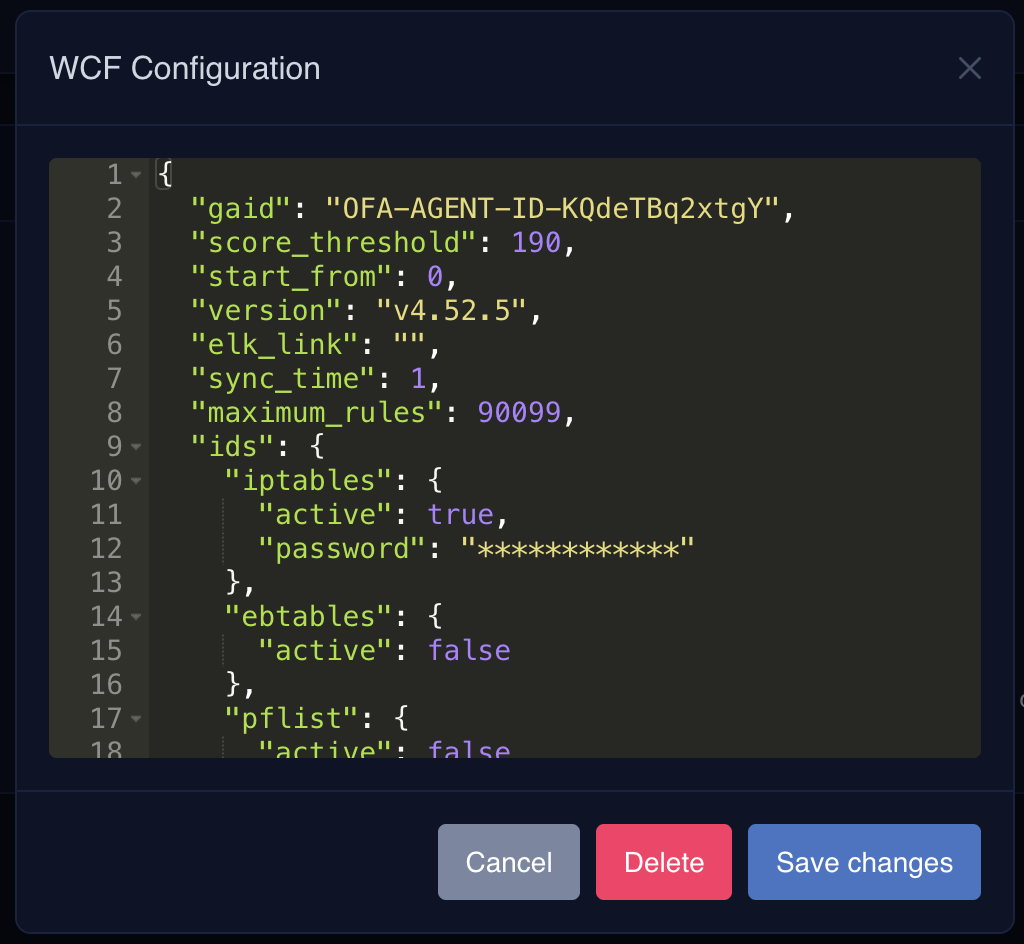 ## Real Time Usage Report
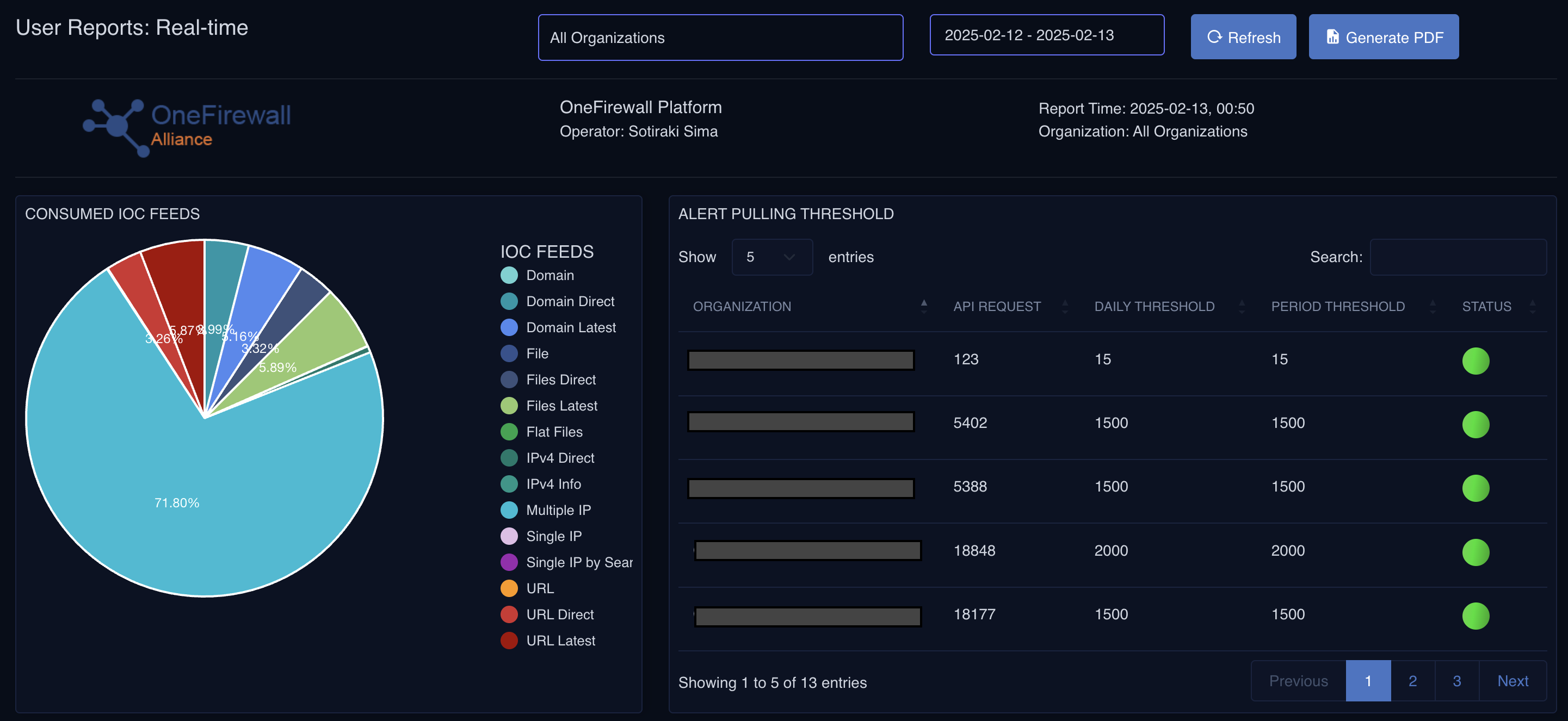
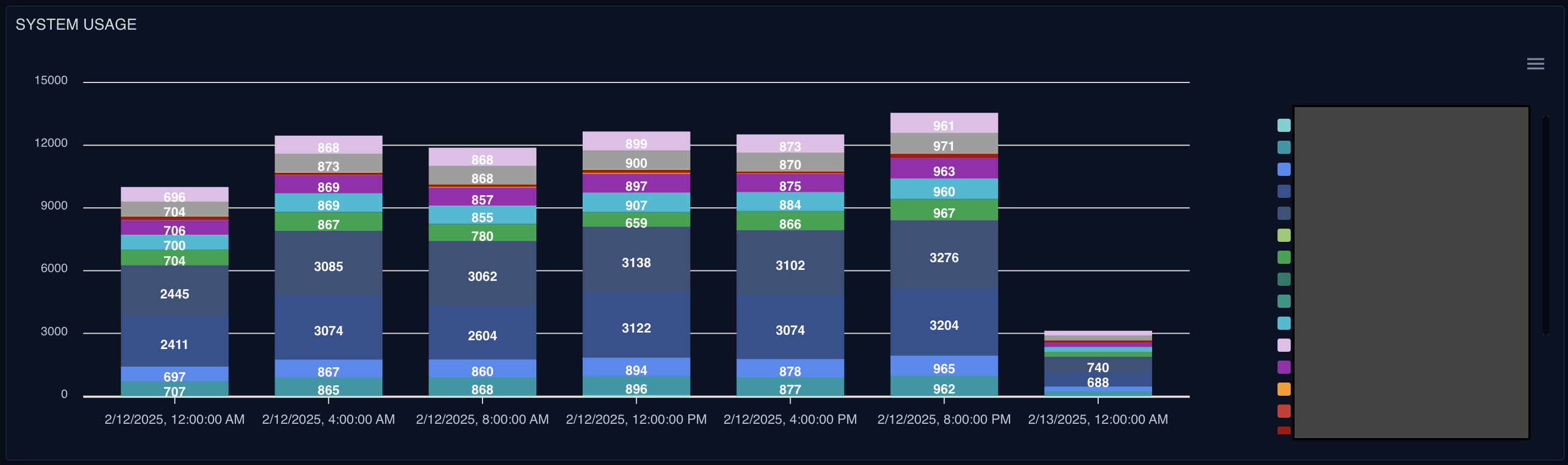
Users now have access to a **dedicated monitoring dashboard** that provides real-time insights into **platform usage**, including **API access tracking** and system activity. This dashboard also features a **threshold alert system**, notifying users if a **WCF Agent fails to communicate** with the server. Additionally, it offers visibility into **data injection and contribution metrics** for both **on-premises and SaaS instances**, ensuring seamless integration with the **alliance ecosystem**.
## Real Time Usage Report
Users now have access to a **dedicated monitoring dashboard** that provides real-time insights into **platform usage**, including **API access tracking** and system activity. This dashboard also features a **threshold alert system**, notifying users if a **WCF Agent fails to communicate** with the server. Additionally, it offers visibility into **data injection and contribution metrics** for both **on-premises and SaaS instances**, ensuring seamless integration with the **alliance ecosystem**.