> ## Documentation Index
> Fetch the complete documentation index at: https://docs.onefirewall.com/llms.txt
> Use this file to discover all available pages before exploring further.
# NetFlow Security
> Guide to integrate and utilize OneFirewall's NetFlow Security Analysis API
**NetFlow Security Analysis** is a cutting-edge sub-product of **OneFirewall Alliance**, built to provide **real-time network metadata analysis**. It offers visibility into **allowed** and **blocked** traffic at your organization's perimeter — giving you a proactive edge in identifying potentially malicious activity that bypassed traditional security controls.
> OneFirewall leverages proprietary threat intelligence from its Cybersecurity Alliance to detect **previously allowed traffic** that has since been identified as **malicious**.
***
## 🔐 Getting Started
To begin using **NetFlow Security Analysis**, follow the steps below:
### 1. Account and Licensing
* Ensure you have an active **OneFirewall account** (on-prem or cloud).
* Verify that your account includes:
* A **valid license** for NetFlow Security Analysis.
* Proper **permissions** to access API functionalities.
❗ If you don’t have access, please reach out to **OneFirewall Support**.
### 2. Generate Your API Token
Once you have access:
* Navigate to your **profile settings** on the OneFirewall platform.
* Generate an **API token** which will be used to authorize your requests.
***
## 📡 Sending Network Metadata
To send traffic data for analysis, use the following API endpoint:
### POST Request
```
import requests
import json
url = "https://app.onefirewall.com/api/v1/poc_traffic/direct"
payload = json.dumps({
"firewall": "fortinet",
"direction": "inbound",
"dst_ip": "192.168.0.1",
"service": "org1",
"src_port": 3435,
"dst_port": 443,
"src_ip": "94.22.73.32",
"action": "Allow"
})
headers = {
'Authorization': '',
'Content-Type': 'application/json'
}
response = requests.request("POST", url, headers=headers, data=payload)
print(response.text)
```
* firewall: Name of your firewall or IPS
* direction: `inbound` or `outbound`
* src\_ip / dst\_ip: Source and destination IPv4 addresses
* src\_port / dst\_port: Source and destination port numbers
* service: Human-readable name of the service
* action: `Allow` or `Deny`
#### Response Codes
* 200 OK – Request accepted
* 201 Created – Resource created and queued for analysis
* 4xx – Error in request (e.g., malformed payload or invalid token)
#### ⏱️ Rate Limiting
You can send multiple requests, but be aware of the following limits:
* 🔄 150 requests per 10 seconds
* Requests beyond this rate will be throttled or rejected
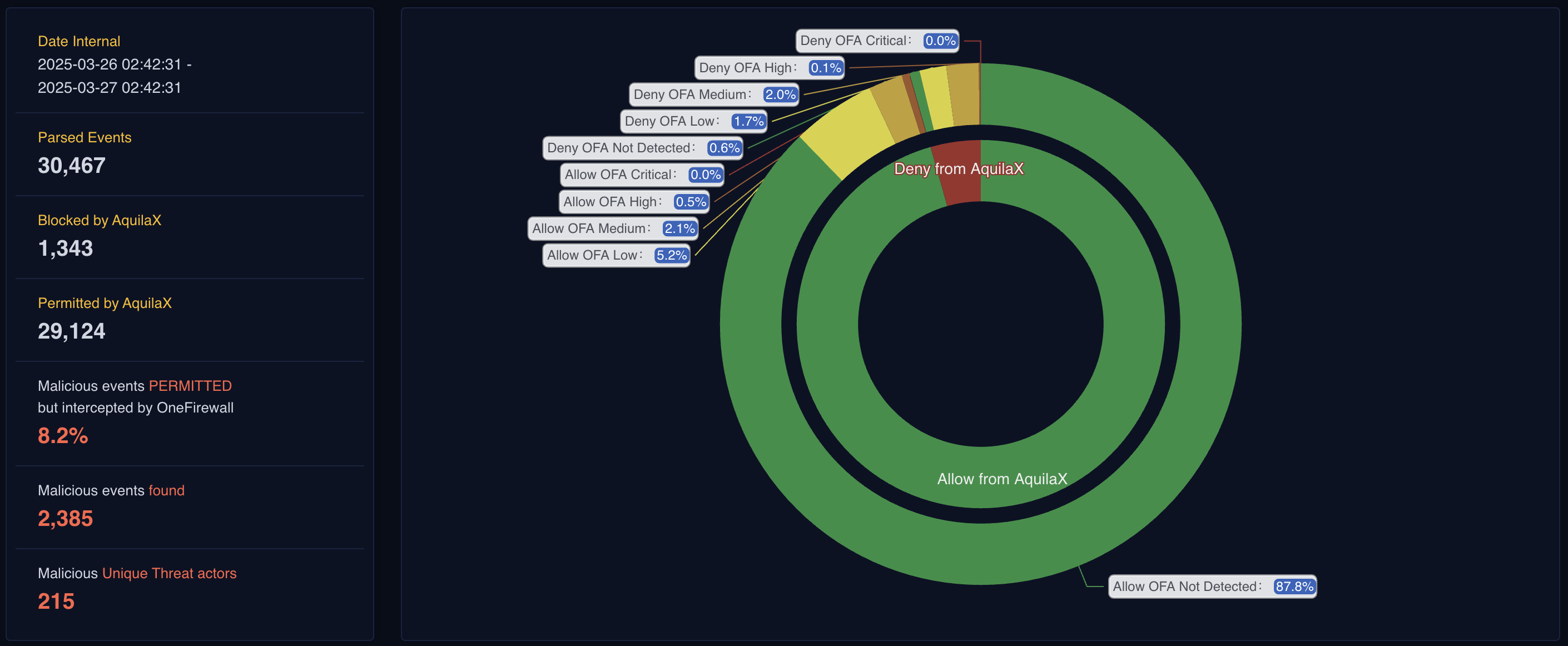
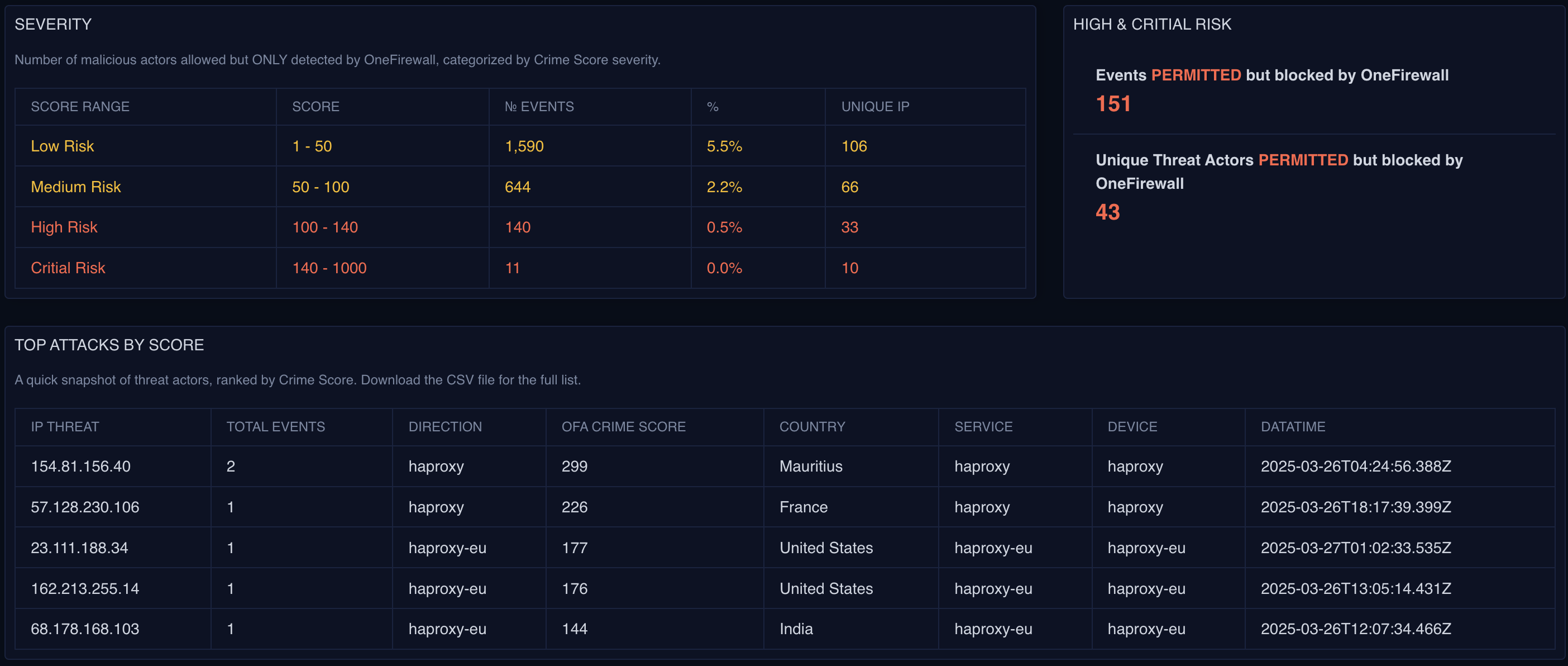
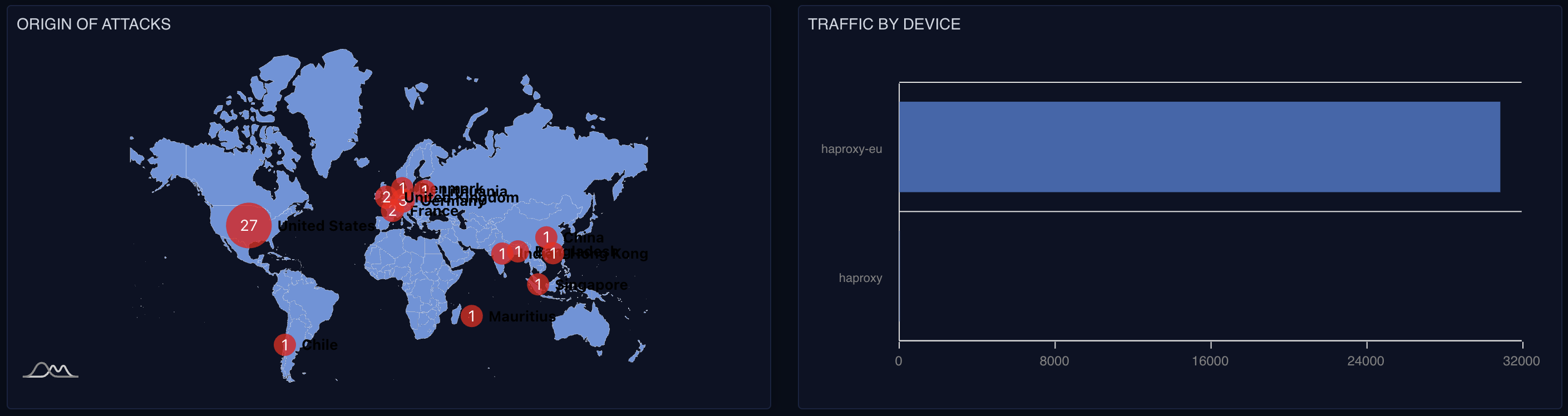
### 📊 View Live Reports
After sending the traffic metadata, you can monitor results live:
1. Go to [https://app.onefirewall.com](https://app.onefirewall.com)
2. Navigate to the Live section
3. View real-time analysis and threat assessments
 ### 🧠 Why Use OneFirewall?
According to the OneFirewall Value Proposition Report, NetFlow Security Analysis helps your organization:
1. ✅ Detect malicious activity that slipped past traditional security layers
2. ✅ Gain visibility into blocked and allowed traffic across your perimeter
3. ✅ Leverage global threat intelligence from the Cybersecurity Alliance
4. ✅ Strengthen your zero-trust strategy with data-driven insights
### 🧠 Why Use OneFirewall?
According to the OneFirewall Value Proposition Report, NetFlow Security Analysis helps your organization:
1. ✅ Detect malicious activity that slipped past traditional security layers
2. ✅ Gain visibility into blocked and allowed traffic across your perimeter
3. ✅ Leverage global threat intelligence from the Cybersecurity Alliance
4. ✅ Strengthen your zero-trust strategy with data-driven insights